Free eBook
Displays 101: What to Know When Buying Business TVs
Everything you need to know before buying screens for your company’s digital signage

Learn the display specs that matter most for digital signage
Find what additional display features could make a difference for your company
Build a cohesive digital signage system from commercial TVs and professional screens
Read eBook now:
Download eBookLearn the display specs that matter most for digital signage
Find what additional display features could make a difference for your company
Build a cohesive digital signage system from commercial TVs and professional screens
Which TV should you buy for work?
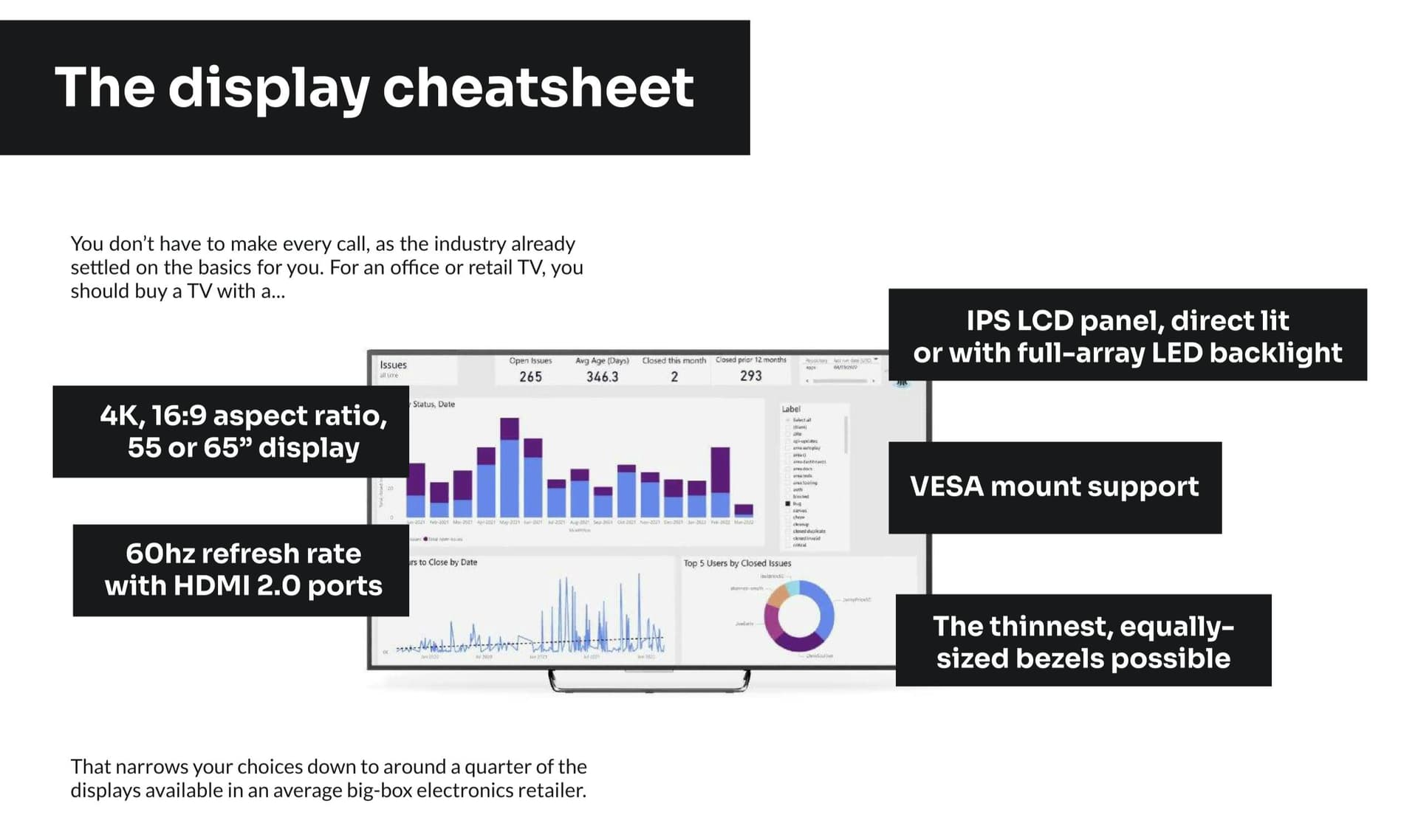
There are hundreds of TVs for sale today to pick from, in dozens of sizes, powered by at least six different display technologies with five common resolutions ranging from under a hundred dollars to low six figures. Which TV is the best display for your digital signage rollout? We’ve done the homework for you. With over a decade of experience in rolling out digital signage for enterprises of all sizes, we’ve learned the specs that matter most for workplace displays. In this eBook, you’ll learn the display terms, specs, and considerations that matter most when buying TVs for your office, to optimize your budget while buying screens that will be crisp, bright, readable, and easy to maintain over their estimated lifespan.
What’s in this eBook?
1
Display Terms
Learn every important term you’ll encounter when purchasing displays, from Nits and IPS to VESA and IP5X.
2
Screen Baselines
Learn the baseline specs to look for in TVs for your office, along with the upgrade specs in professional displays.
3
Savings Tips
The absolutely best display is not always the best for your business. Learn which features are not worth paying for, and which are better purchasing separately in standalone hardware.
4
Additional Considerations
How bright is your location? Will your screens be exposed to the elements? Will viewers see your display at an angle? Find the questions and answers that will give you the best displays for your needs.
5
Signage Software
Once you’ve purchased screens, learn how to build them together into a digital signage system with software and professional media player devices.
Ready to roll out your first digital signage?
Try ScreenCloud free for 14 days to turn your TVs into a digital signage system for your company.